CLICK ME
CLICK ME
Optimizing a user select and permissions flow for instructors
DISCLAIMER: The following case study references a classified system for U.S. government clients. Specifics have been removed in compliance with non-disclosure agreements; additional information is available upon verbal request.
OVERVIEW
THE PROBLEM:
The project aimed to create a unified secure user management system that allows for the handling of user accounts, roles & permissions, and in-flight data storage for our clients (USAF instructors) within an augmented reality training tool.
MY ROLE:
SENIOR UX DESIGNER & PROJECT LEAD
THE TEAM:
1 DESIGNER (ME), 2 ENGINEERS, 1 PRODUCT MANAGER
THE TOOLS:
FIGMA, REACT, PROTOPIE, IPAD MINI
CHALLENGES:
Lack of infrastructure for data storage
Tight timeline (6 weeks)
Security protocols
Role-based controls may interfere with other features
GOALS
Allow users the ability to retrieve and assign
relevant data
1
Restrict access to certain data points based on
role/status
2
Encourage seamless data flow and integration between system and aircraft
3
ACTION PLAN
RESEARCH & DISCOVERY
USER INTERVIEWS
PRODUCT AUDIT
DESK RESEARCH
ASSUMPTIONS*
Our first version of this system will focus on manual data entry and management with long-term system architecture subject to change based on contract
1
Users are willing to adopt manual workflows to have an optimal educational experience
2
There will be minimal to no need for in-flight user data adjustments
3
*based on SME interviews and desk research
REQUIREMENTS
Allow admin users the ability to assign permissions
Allow users to enter biometric data
Provide simple export to other tools within the company's product suite
Simple export process into other non-proprietary softwares
Seamless data flow and integration
Minimal security features to avoid non-compliance
User permissions
MUST:
NICE TO HAVES:
USER FLOWS
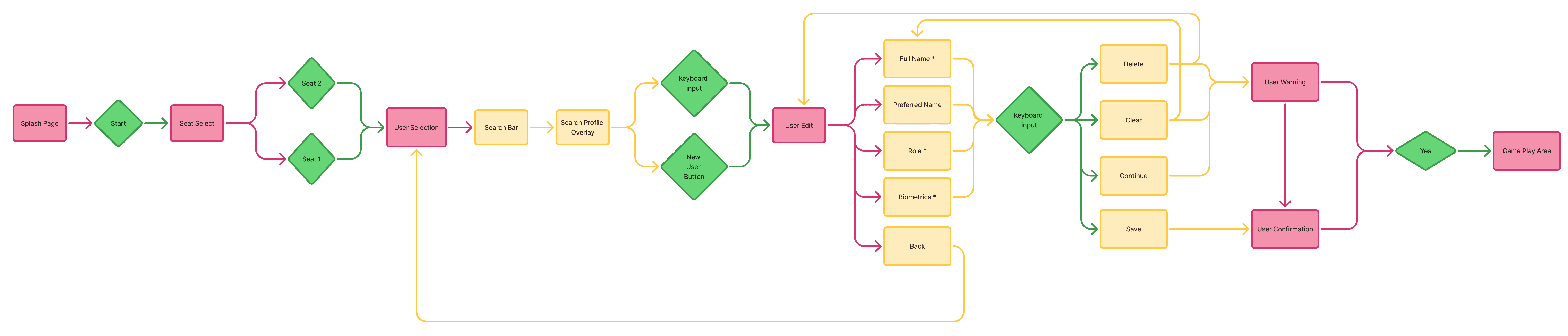

Returning Users:
Adding a new user:
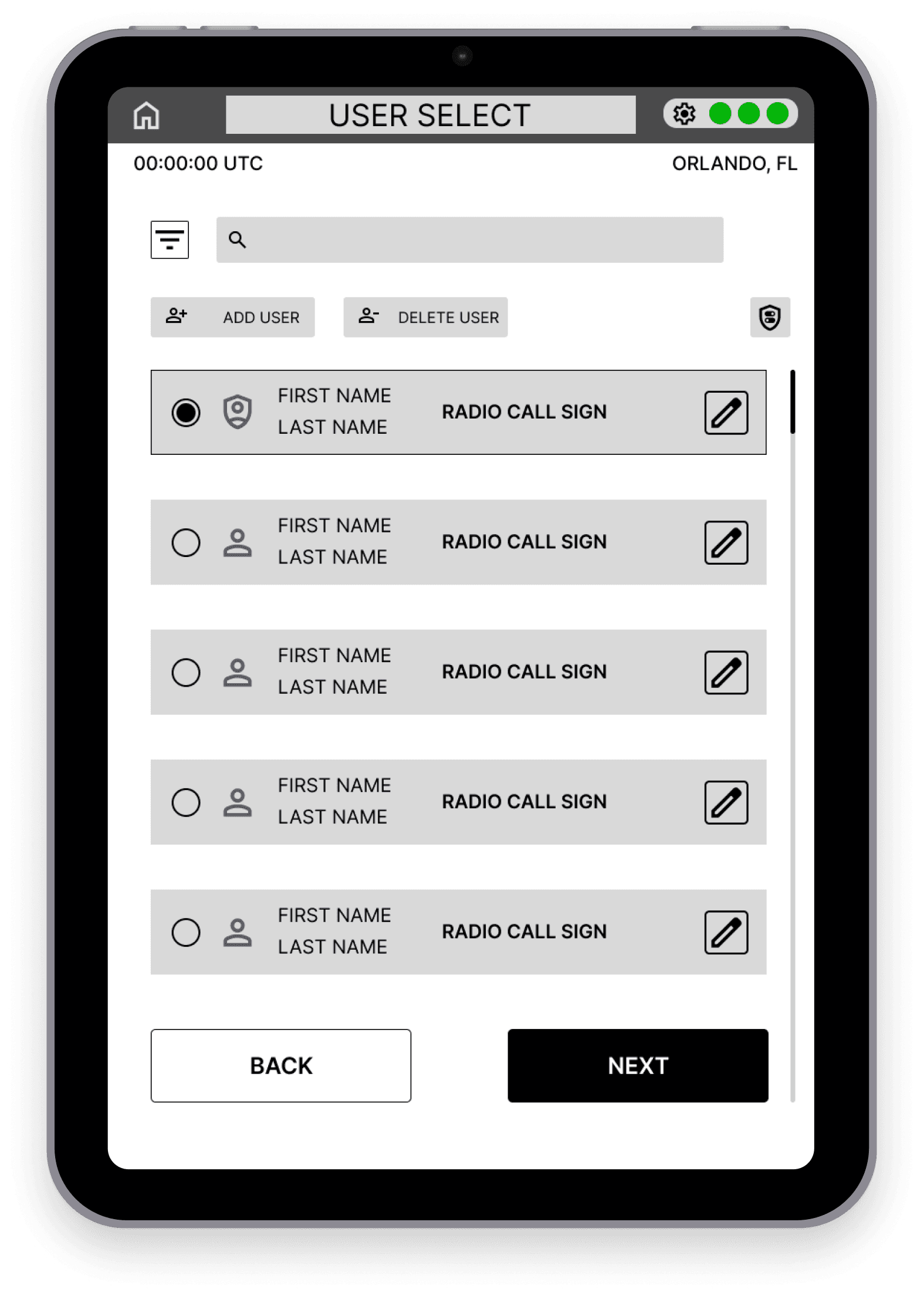
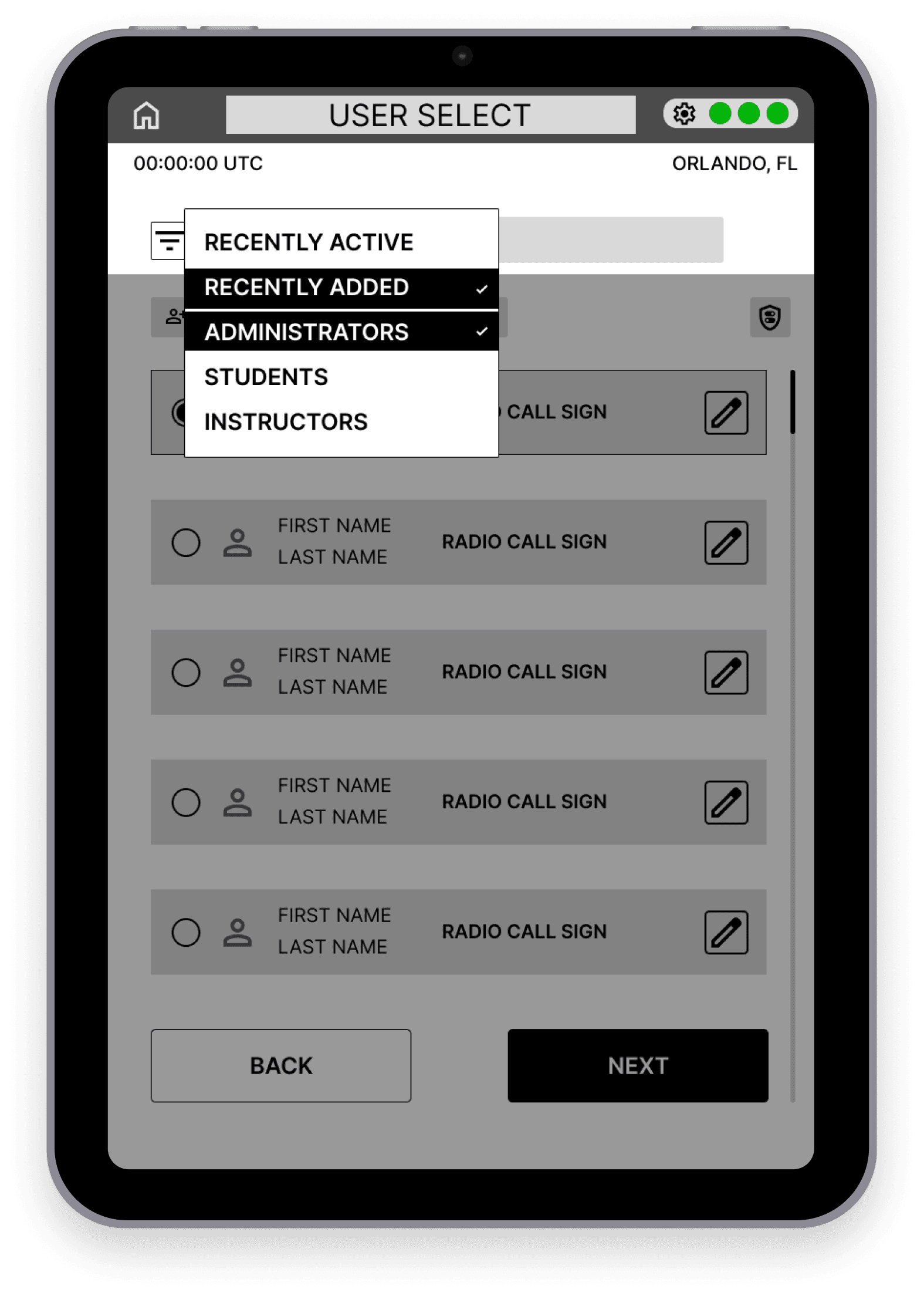
WIREFRAMES
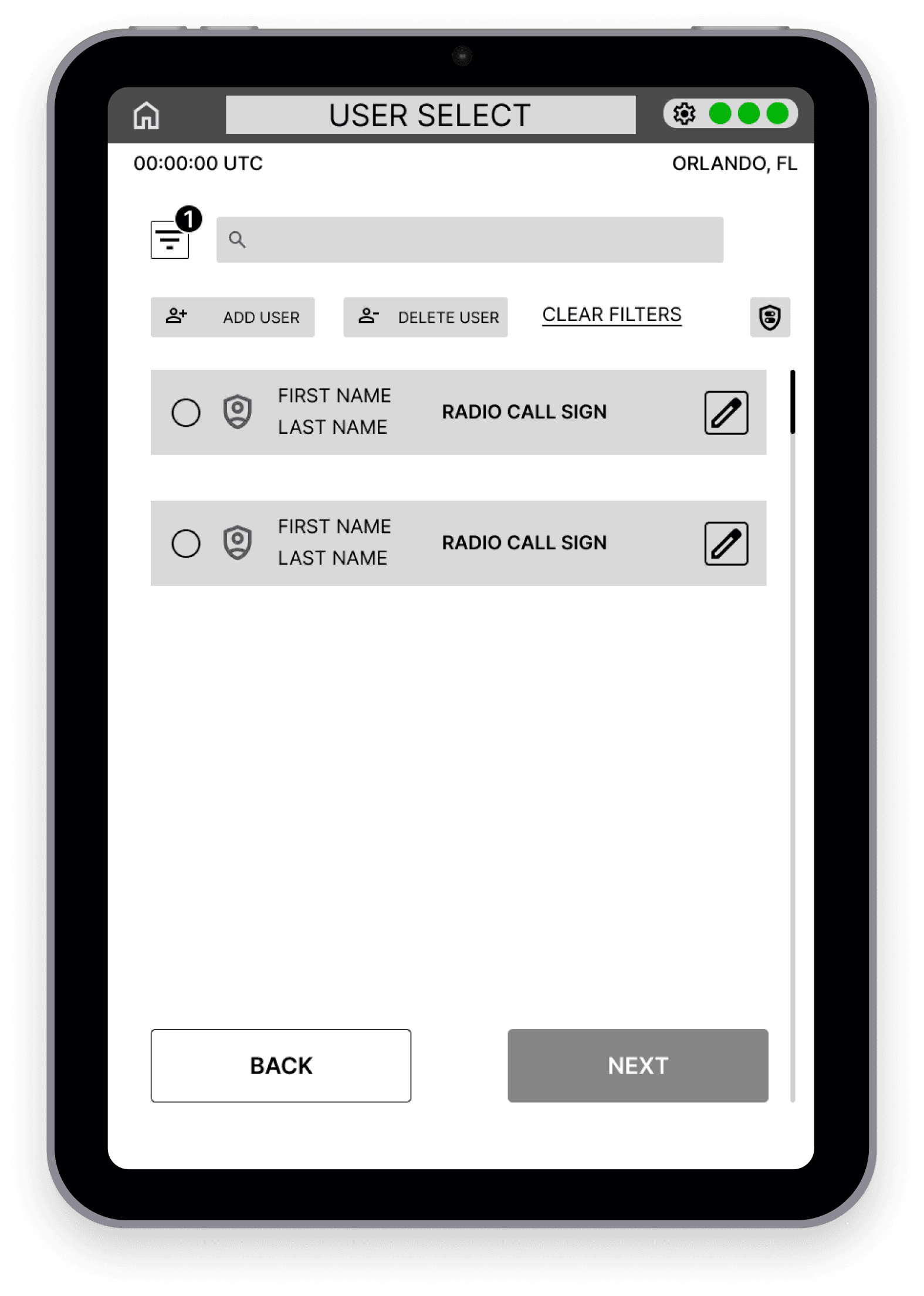
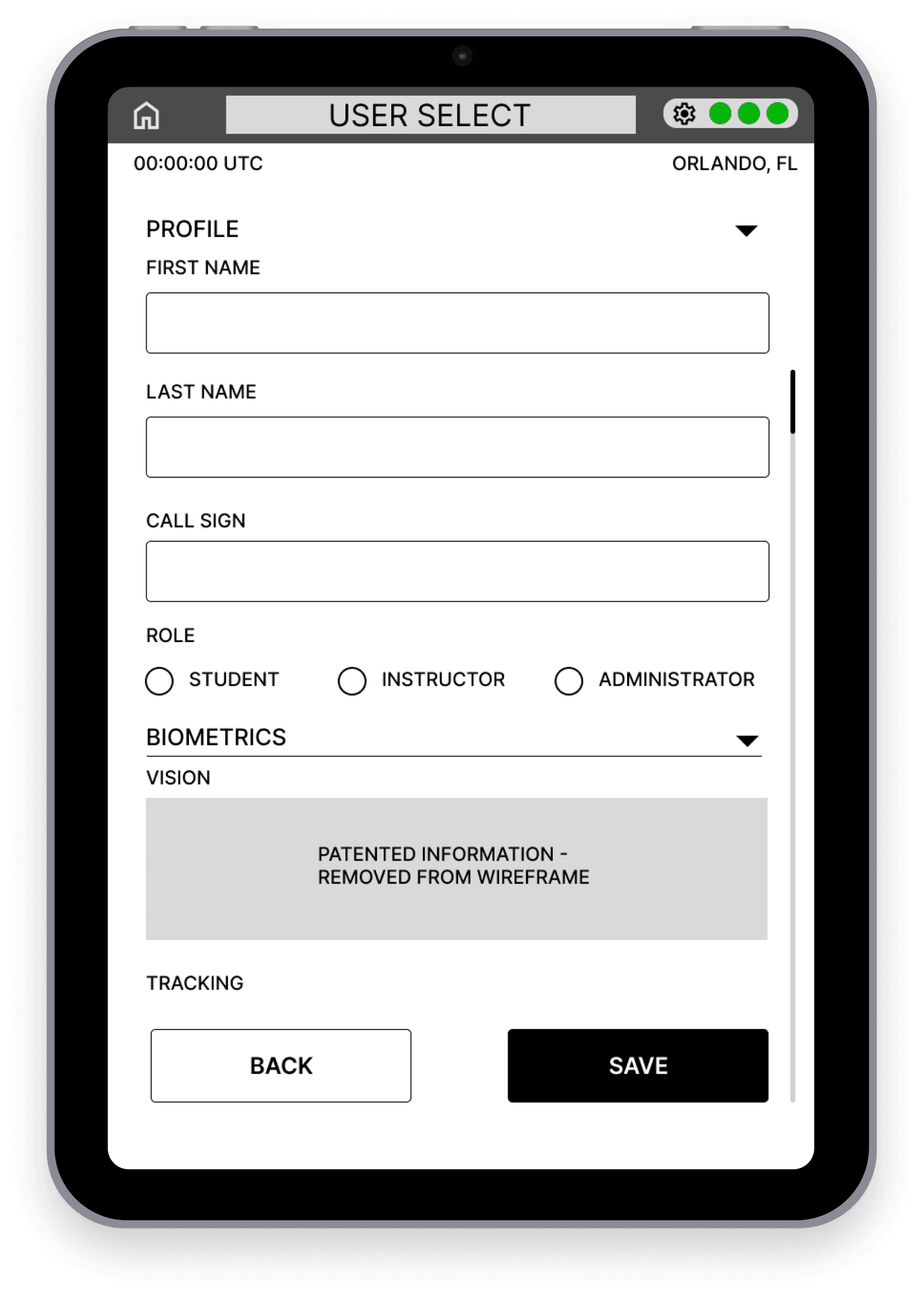
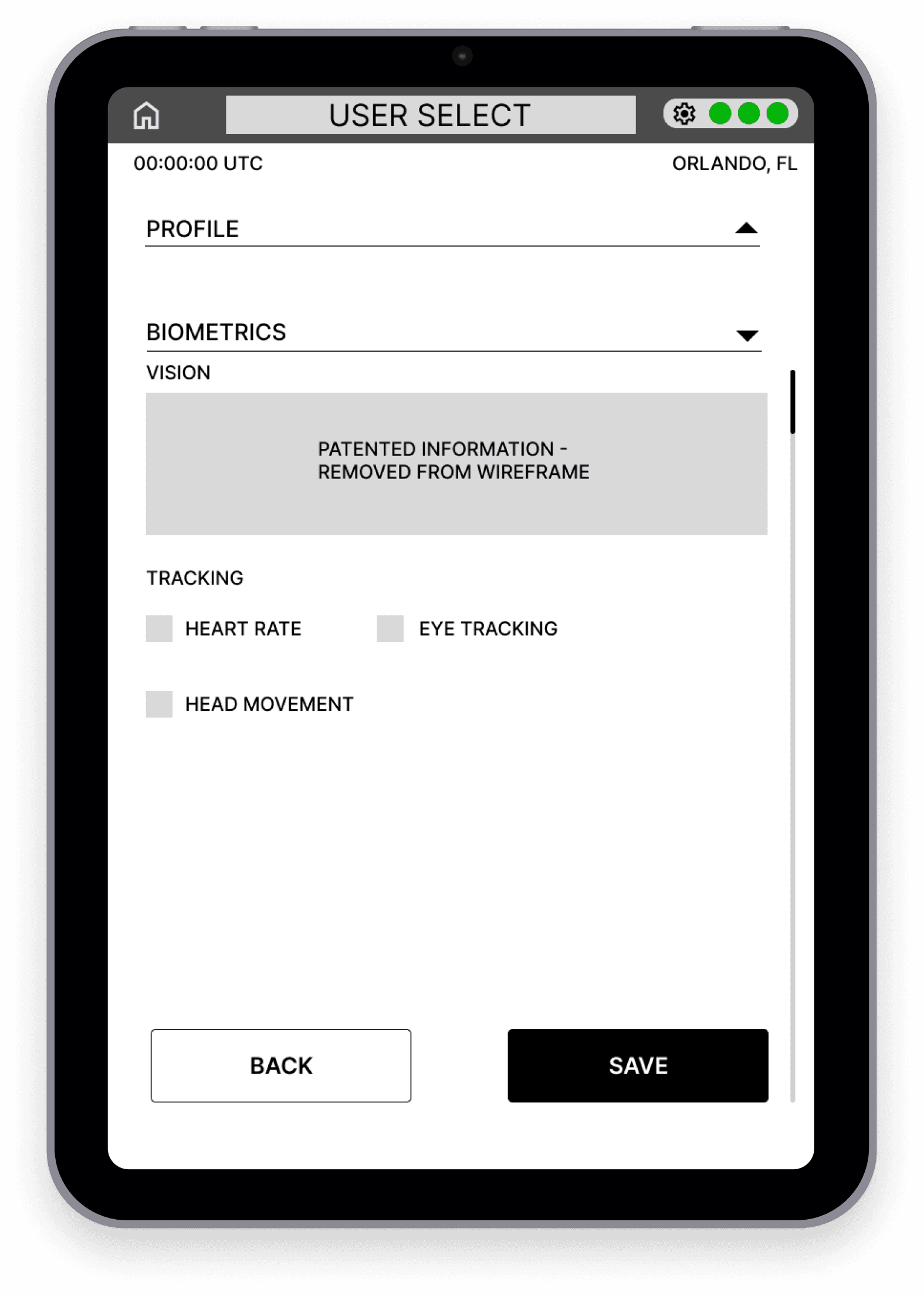
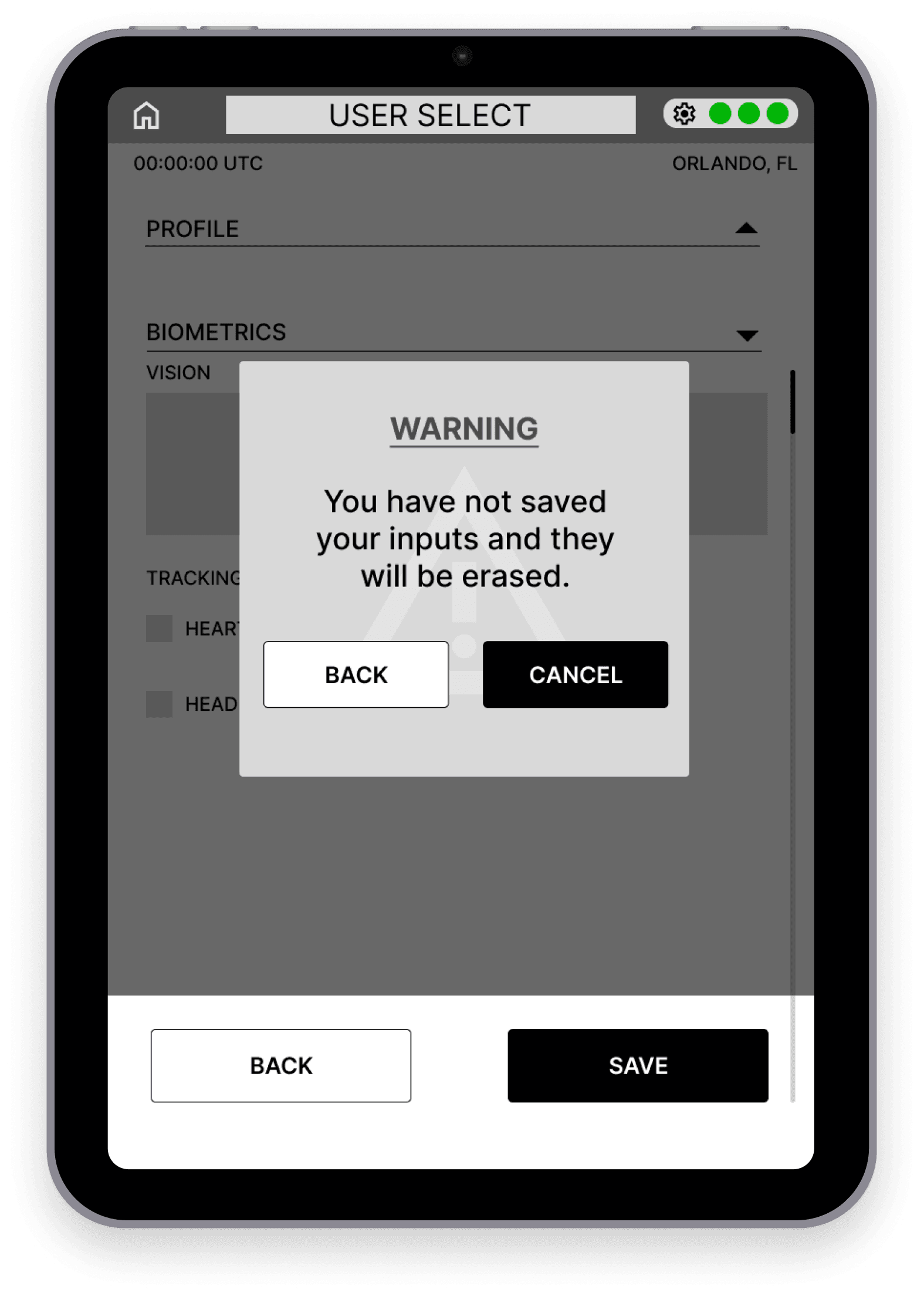
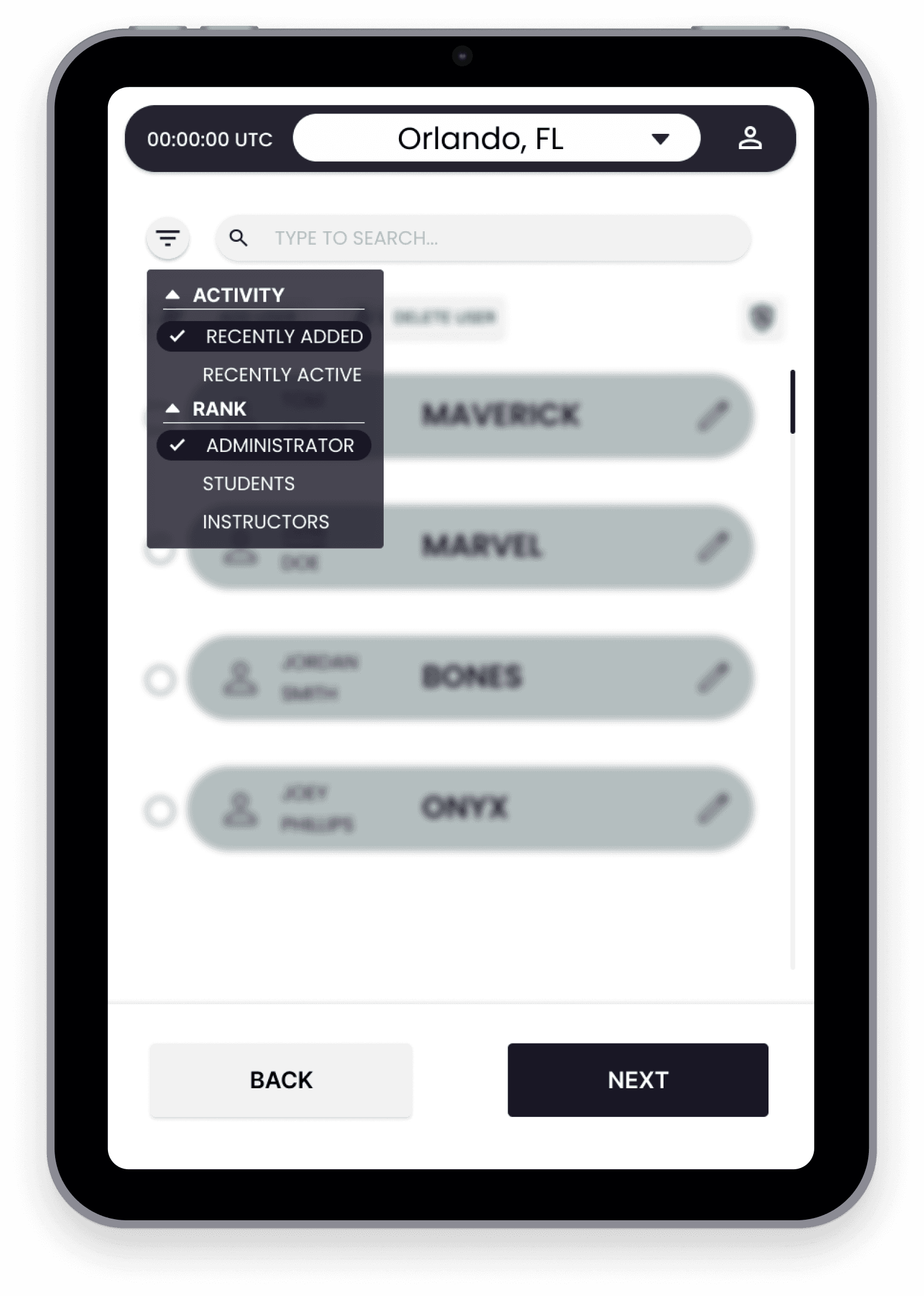
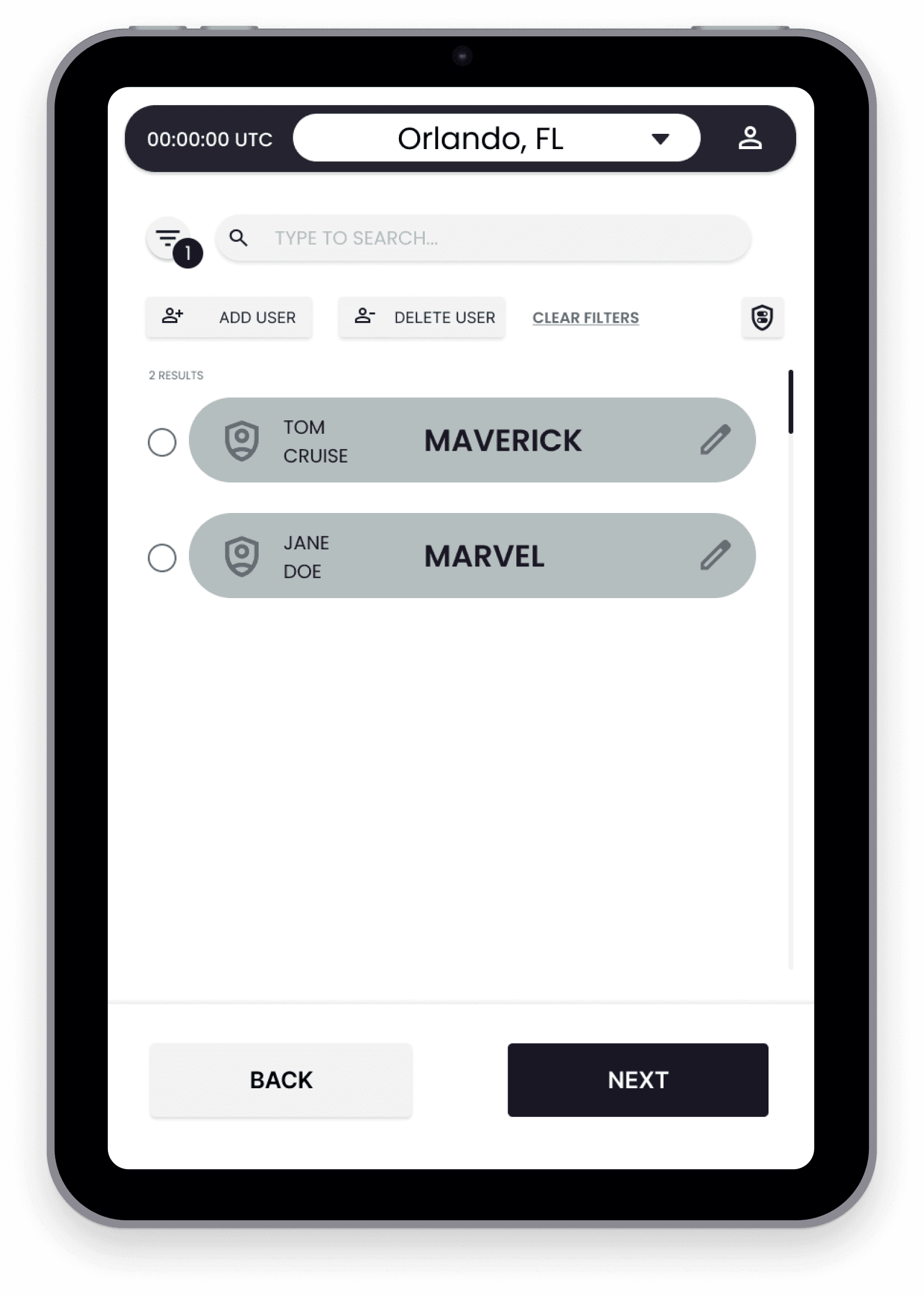
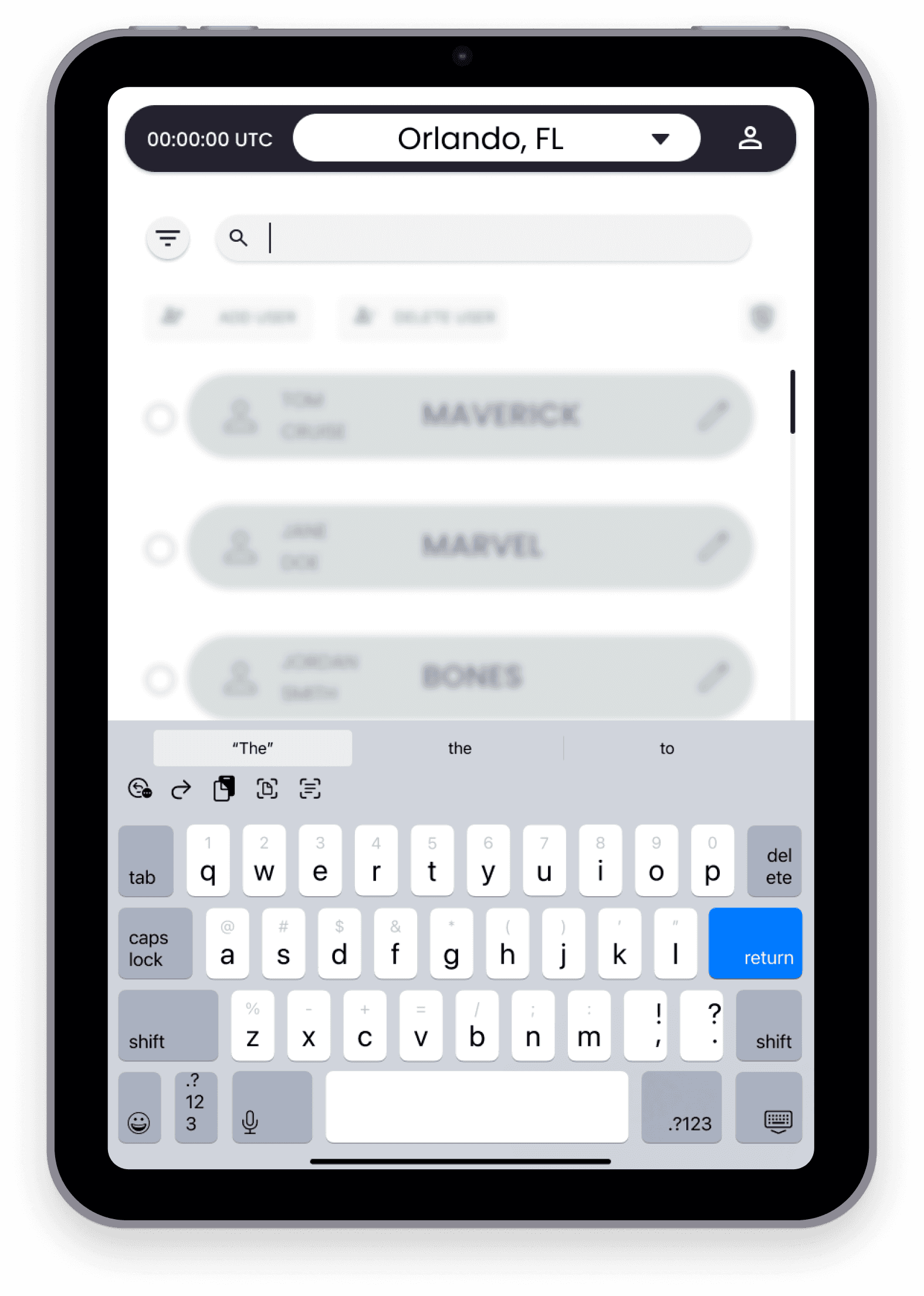
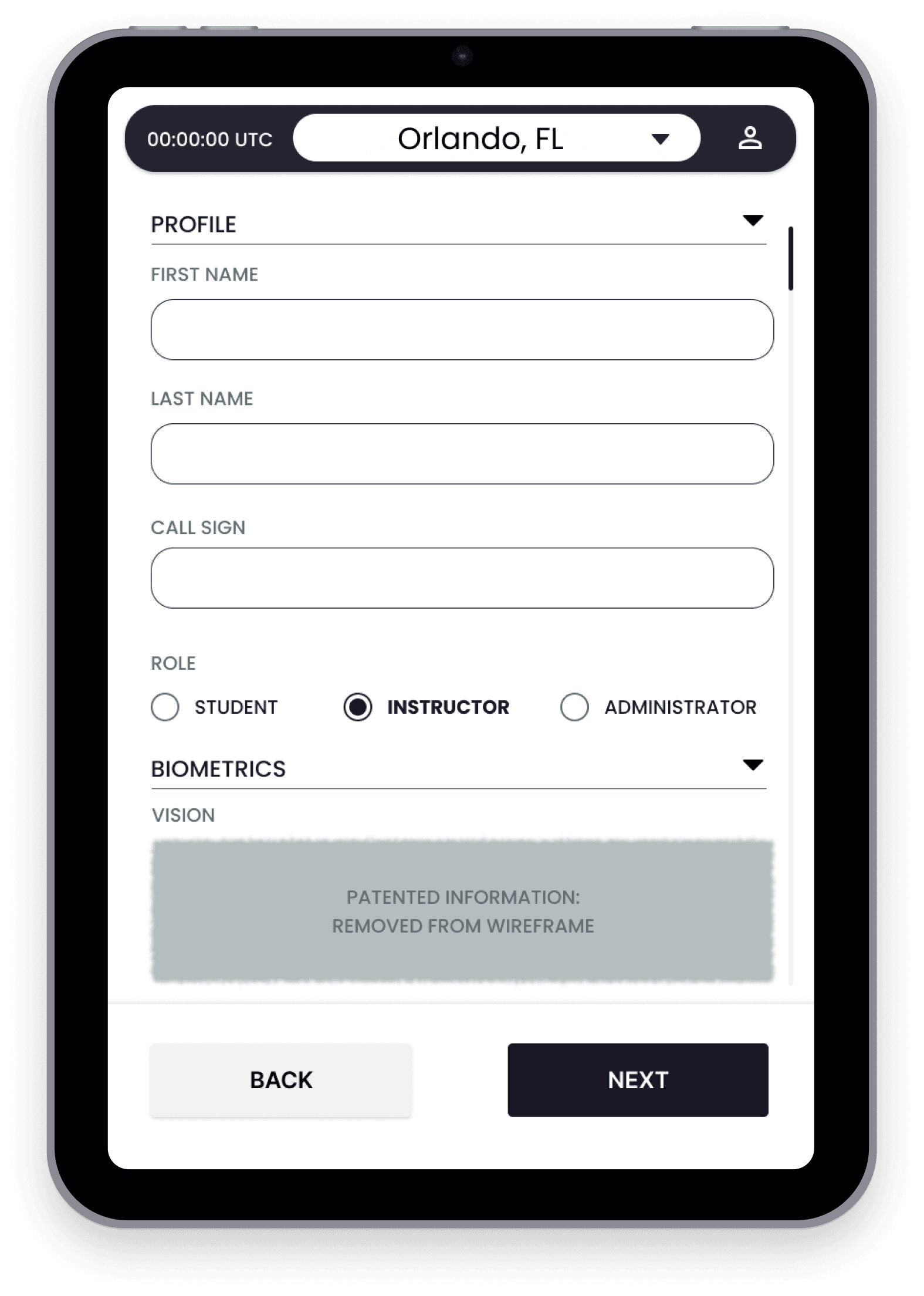
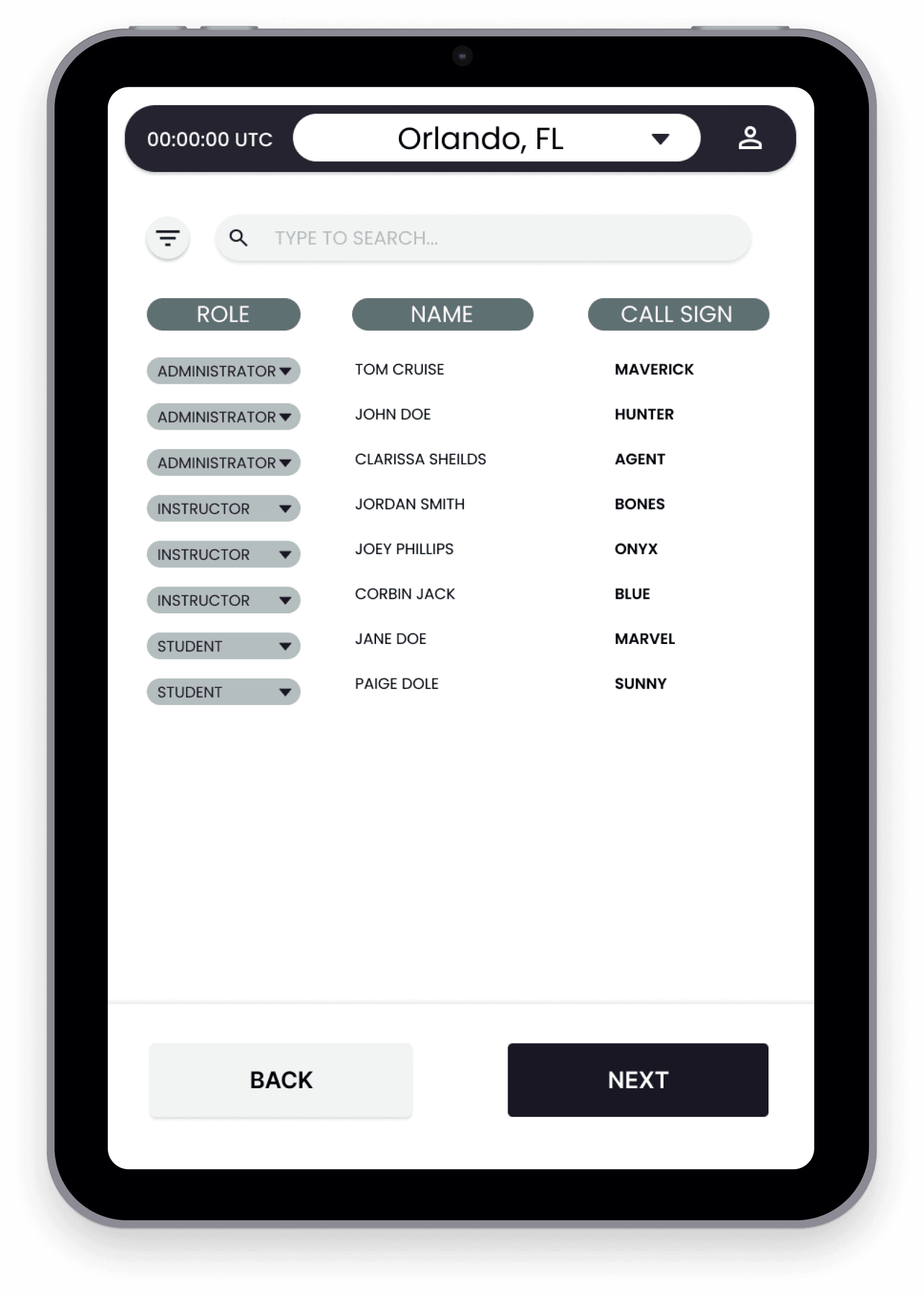
Reference and inspiration were taken from the Apple Human Interface Guidelines on the handling of Alerts and design language. Simplicity was also encouraged where applicable, in order to be mindful of the pilot's cognitive load.
REVIEW & VALIDATE
Users were given a low-fidelity prototype and asked to complete the following tasks, unaided, within 10 minutes:
Add a new user
Edit an existing profile
Adjust user permissions
These users were not entirely new to the product but had not experienced these workflows.
Erroneous inputs were tracked and taken to the design team for brainstorming.
Lack of affordances:
Fine-tuning visual hierarchy and color accents should address any input delays.
PROCESS:
KEY TAKEAWAYS:
RESULTS
HEADSET CALIBRATION:
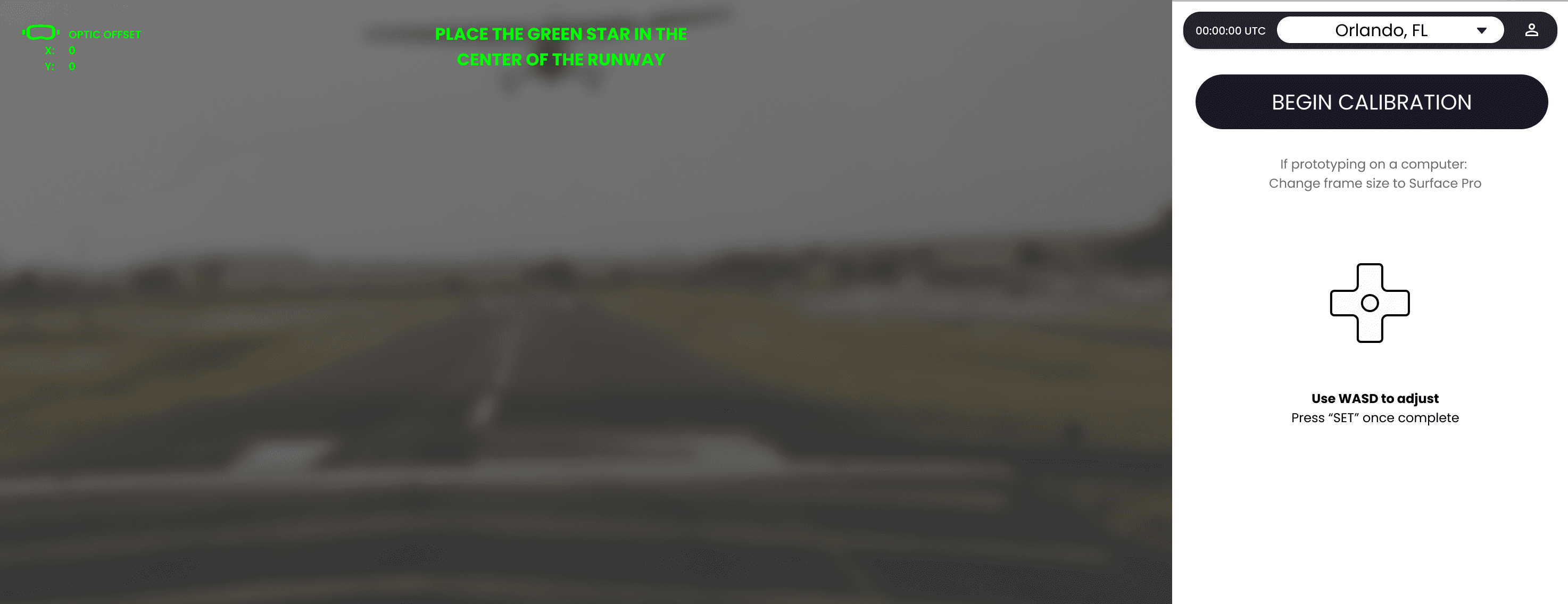
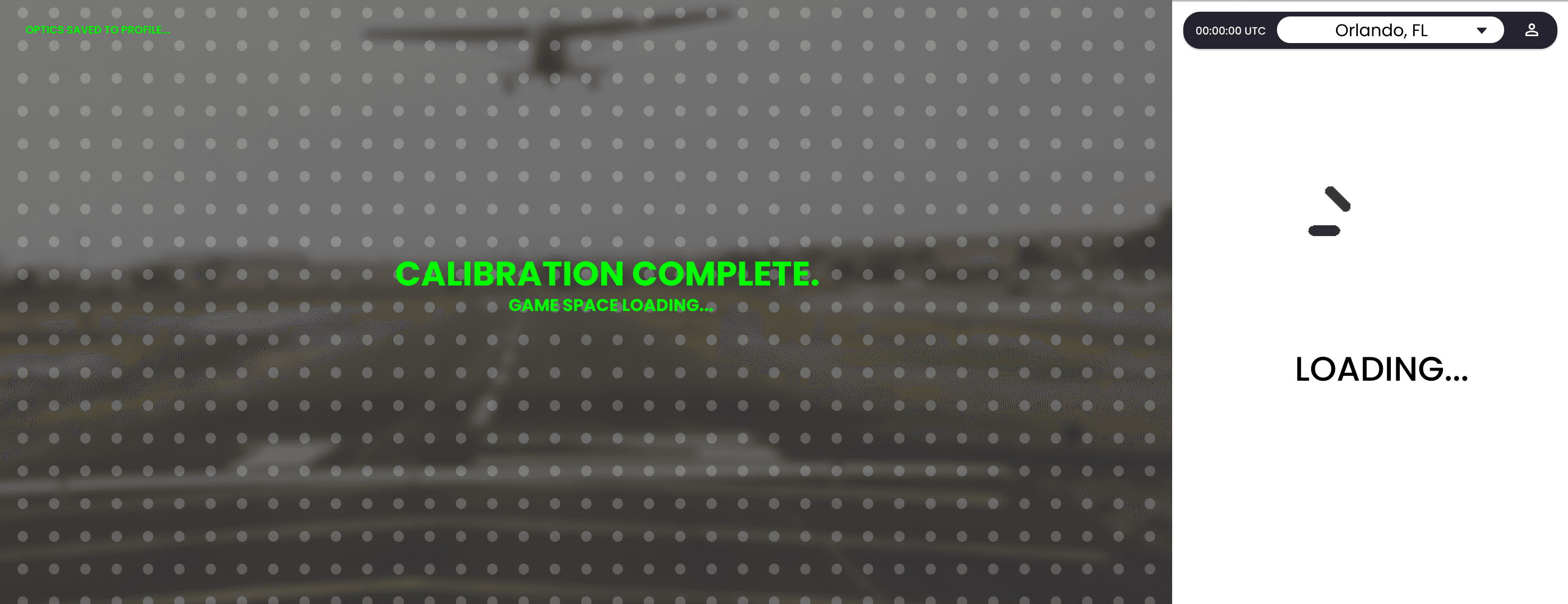
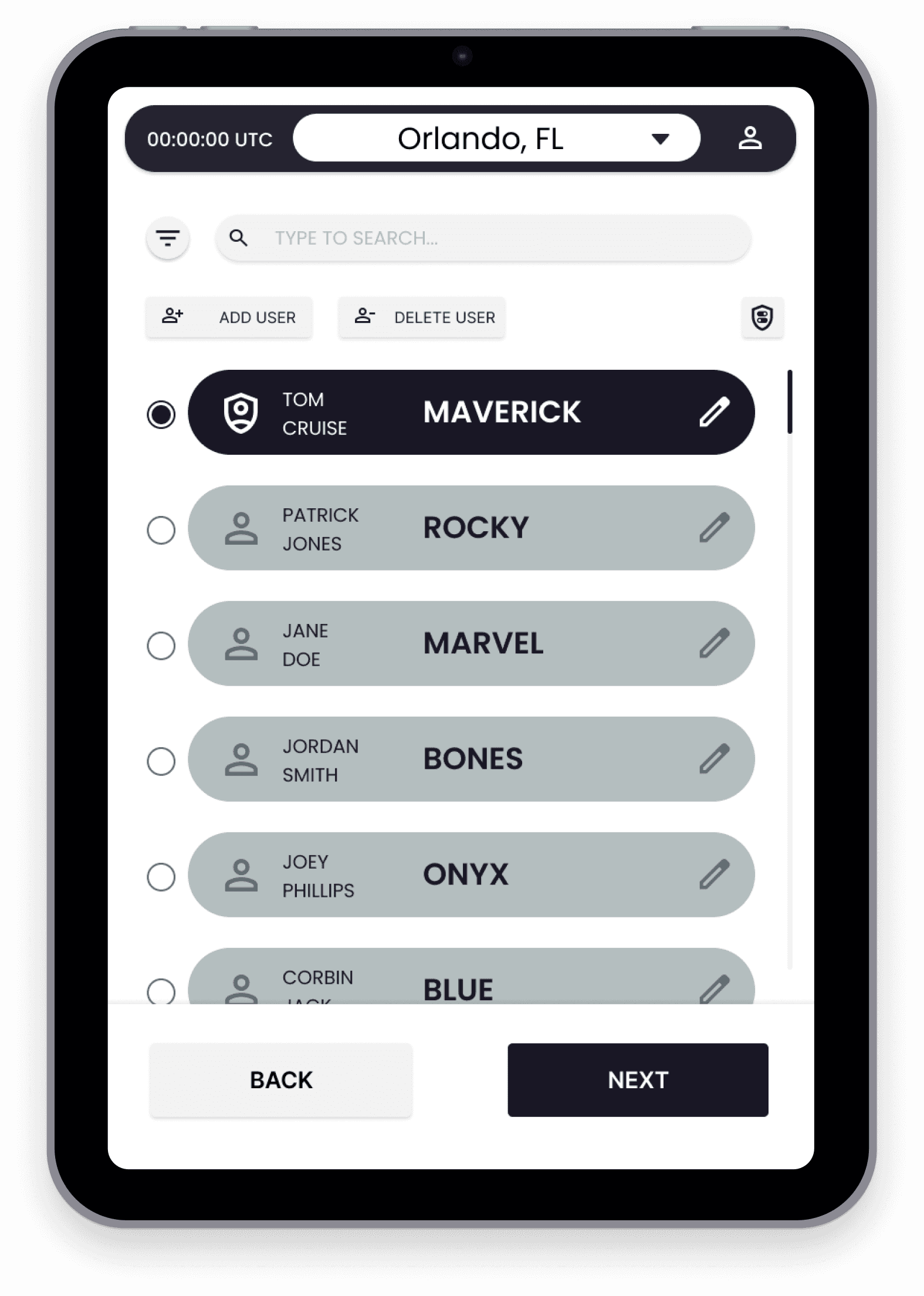
A primary function of this system is to store interpupillary distance (IPD), and eye tracking information of the users to make startup quicker. This requires users to align objects to real-world entities to form a ground truth for the augmented reality experience. The calibration experience was replicated in a mid-fidelity prototype to give stakeholders a better understanding of system workflows.
CLICK ME
Optimizing a user select and permissions flow for instructors
DISCLAIMER: The following case study references a classified system for U.S. government clients. Specifics have been removed in compliance with non-disclosure agreements; additional information is available upon verbal request.
OVERVIEW
THE PROBLEM:
The project aimed to create a unified secure user management system that allows for the handling of user accounts, roles & permissions, and in-flight data storage for our clients (USAF instructors) within an augmented reality training tool.
MY ROLE:
SENIOR UX DESIGNER & PROJECT LEAD
THE TEAM:
1 DESIGNER (ME), 2 ENGINEERS, 1 PRODUCT MANAGER
THE TOOLS:
FIGMA, REACT, PROTOPIE, IPAD MINI
CHALLENGES:
Lack of infrastructure for data storage
Tight timeline (6 weeks)
Security protocols
Role-based controls may interfere with other features
GOALS
Allow users the ability to retrieve and assign
relevant data
1
Restrict access to certain data points based on
role/status
2
Encourage seamless data flow and integration between system and aircraft
3
ACTION PLAN
RESEARCH & DISCOVERY
USER INTERVIEWS
PRODUCT AUDIT
DESK RESEARCH
ASSUMPTIONS*
Our first version of this system will focus on manual data entry and management with long-term system architecture subject to change based on contract
1
Users are willing to adopt manual workflows to have an optimal educational experience
2
There will be minimal to no need for in-flight user data adjustments
3
*based on SME interviews and desk research
REQUIREMENTS
Allow admin users the ability to assign permissions
Allow users to enter biometric data
Provide simple export to other tools within the company's product suite
Simple export process into other non-proprietary softwares
Seamless data flow and integration
Minimal security features to avoid non-compliance
User permissions
MUST:
NICE TO HAVES:
USER FLOWS
Returning Users:
Adding a new user:
WIREFRAMES
Reference and inspiration were taken from the Apple Human Interface Guidelines on the handling of Alerts and design language. Simplicity was also encouraged where applicable, in order to be mindful of the pilot's cognitive load.
REVIEW & VALIDATE
Users were given a low-fidelity prototype and asked to complete the following tasks, unaided, within 10 minutes:
Add a new user
Edit an existing profile
Adjust user permissions
These users were not entirely new to the product but had not experienced these workflows.
Erroneous inputs were tracked and taken to the design team for brainstorming.
Lack of affordances:
Fine-tuning visual hierarchy and color accents should address any input delays.
PROCESS:
KEY TAKEAWAYS:
RESULTS
HEADSET CALIBRATION:
A primary function of this system is to store interpupillary distance (IPD), and eye tracking information of the users to make startup quicker. This requires users to align objects to real-world entities to form a ground truth for the augmented reality experience. The calibration experience was replicated in a mid-fidelity prototype to give stakeholders a better understanding of system workflows.
